
Install GPay kit 4004-103-3 on ACA machines (120 LineV Power Supply)
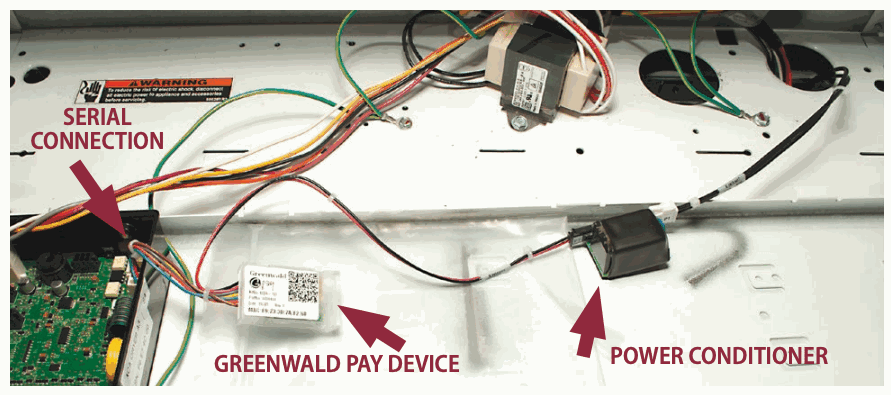
The Greenwald Pay device installs into the machine control board.
- Kit: 4004-103-3 — ACA (120 LineV Power Supply)
- Installation sheet: INS. 2473-6 Rev B
Installation layout
What you need
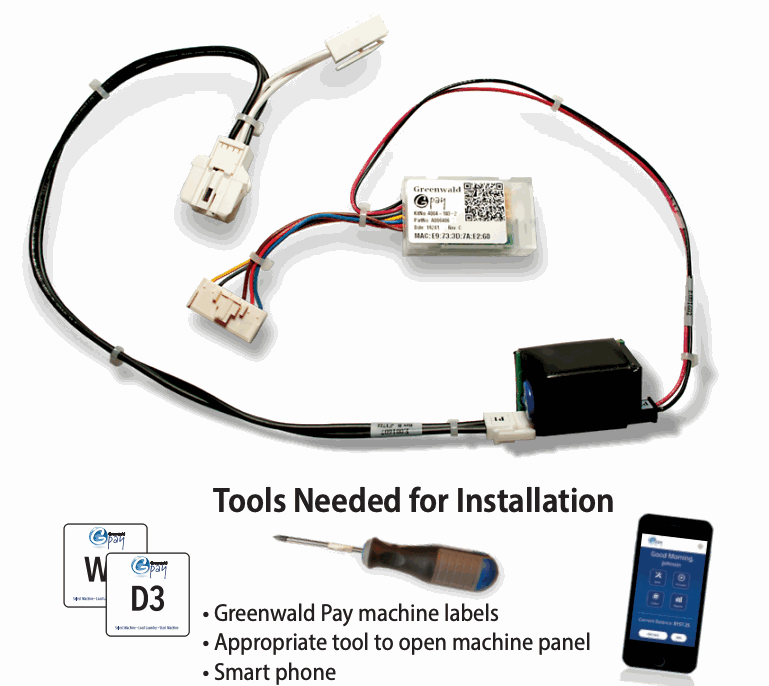
- Greenwald Pay machine labels
- Appropriate tool to open the machine panel
- Smartphone
Before you begin
Set up room and machine profiles in Greenwald Management System (GMS) before installing the device.
Check INS.2486: Enable serial payment on Alliance Quantum Gold Pro machines before installation to determine whether you have a Quantum Gold Pro machine. Serial Payment System must be enabled on the specified machines.
Install the hardware
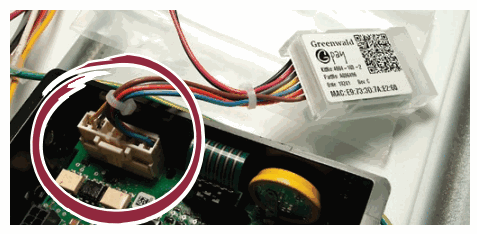
- Disconnect power to the machine. Open the console panel. Install the serial communications connector from the Greenwald Pay device into the machine control board.
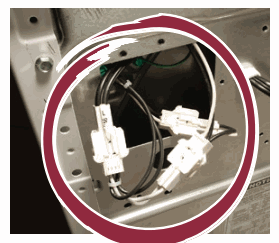
- Connect the two power plugs from the Greenwald Pay device to the machine's power source. You may need to access these plugs through the back of the machine.
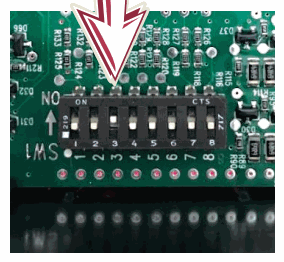
- If you have a Quantum Gold Pro machine, skip this DIP-switch step. For other applicable machines, ensure DIP switch #3 is turned on. Leave all other switches in their original positions. Change switch positions only with power off.
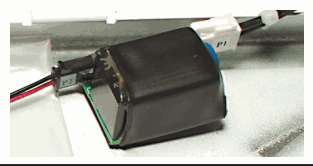
- Secure the Greenwald Pay power conditioner with the included double-sided tape.
Configure the device
- Leave the console panel open and restore machine power. After initialization, the Greenwald Pay device will blink white slowly, indicating that it is not configured and is ready to pair with the profiles set up in GMS.
- Log in to the Greenwald Pay app with administrator credentials and select Setup. Machine profiles must be configured in GMS before pairing.
- Select your account.
- Select your location.
- Choose the machines to pair.
- Label each washer and dryer with its machine number as you configure it. The MAC address on the device and in the app must match for the machine to pair correctly.
- Repeat for each machine.
- Close all machine console panels when installation is complete.
For additional help, call Greenwald Customer Service at 800-221-0982.
Device LED codes
| Color | Activity | Meaning |
|---|---|---|
| Off | Off | Device not connected to power |
| White | Slow blink | Device not configured |
| Blue | Steady | Selected during configuration |
| Yellow | Slow blink | Loading machine configuration |
| Green | Steady | Configured & ready |
| Blue | Slow blink | Active with phone app |
| Green | Fast blink | Active, Start not pressed |
| Green | Slow blink | Busy, machine running |
| Red | Slow blink | Machine error |
| Red | Fast blink | Machine interface error |
| Blue/Green | Slow toggle | Firmware loading |
| Red | Steady | Firmware error |
Machine error codes
| Error code | Meaning | What to do |
|---|---|---|
| EC18 + EC19 | No communication between reader and control board | Check all wiring. Check for proper setup and take note of the Greenwald Pay LED colors. |
| EC11 | Initialization error | Power down, power up, and try again. |
| EC1A | Payment System initialization on a Front End Control-only system (2019 setup on a 2020 controller) | Change the GMS machine configuration. |
| EC05 | Invalid data from reader | Check for the correct machine type. Check the programming options for invalid or out-of-range values. |
Original installation sheet
Download INS. 2473-6 Rev B (PDF). The same PDF is attached to this page.