
Install GPay kit 4004-102-3 on ACA machines with 24 VAC power conditioner
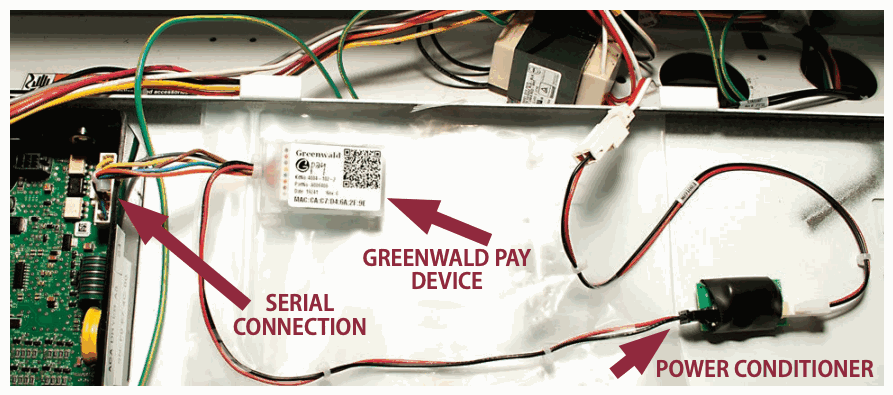
Connect the Greenwald Pay device and its 24 VAC power conditioner to the ACA control board.
- Kit: 4004-102-3 (24 VAC Power Conditioner)
- Installation sheet: INS. 2473-5 Rev B
Installation layout
What you need
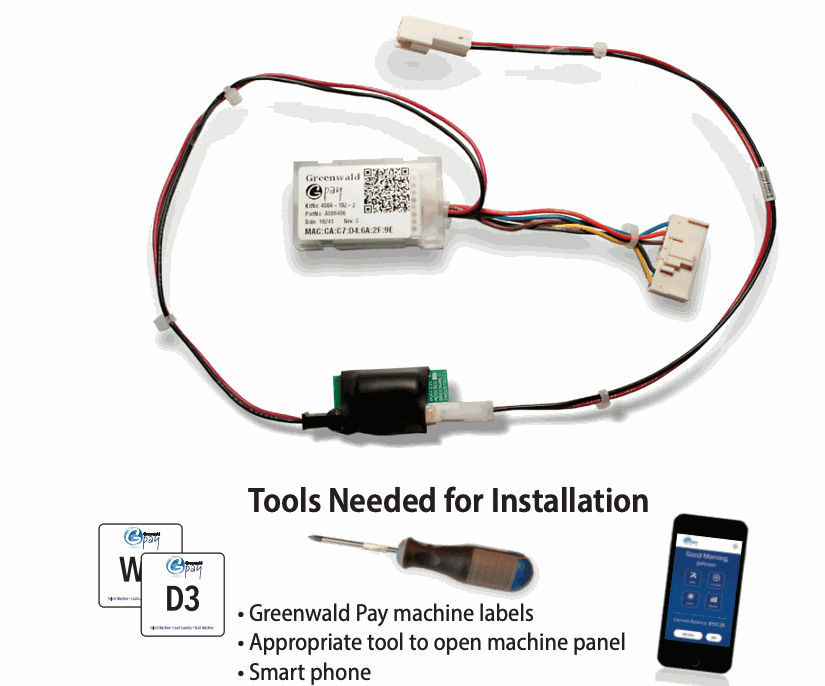
- Greenwald Pay machine labels
- Appropriate tool or operator key to open the machine panel
- Smartphone with the Greenwald Pay app
Before you begin
-
Create the room and machine profiles in Greenwald Management System (GMS).
-
Confirm the exact machine model, controller, and kit number.
-
Disconnect machine power before opening the console or changing connections.
Install the hardware
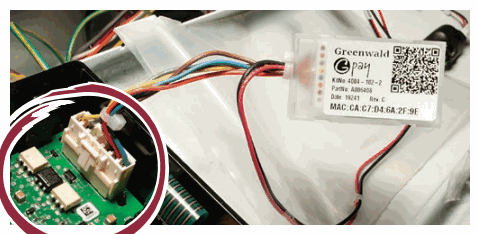
- Open the console panel. Connect the Greenwald Pay serial-communication connector to H3 on the control board.
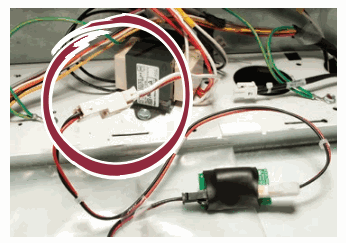
- Connect the Greenwald Pay power conditioner to the machine 24 VAC power connection.
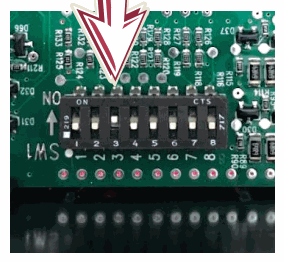
- Set DIP switch 3 to On. Leave every other switch in its original position and change switches only while power is off.
Configure the device
- Leave the console open and restore machine power.
- Wait for initialization. A slow-blinking white LED means the device is not configured and is ready to pair.
- In the Greenwald Pay app, sign in with administrator credentials and select Setup.
- Select the correct account and location.
- Select the device, then select the machine assignment that matches the physical machine label.
- Confirm that the MAC address shown in the app matches the MAC address on the device.
- Label the washer or dryer with its machine number.
- Repeat for every machine.
- Close all console panels when setup is complete.
For additional help, call Greenwald Customer Service at 800-221-0982.
Device LED codes
| Color | Activity | Meaning |
|---|---|---|
| Off | Off | Device not connected to power |
| White | Slow blink | Device not configured |
| Blue | Steady | Selected during configuration |
| Yellow | Slow blink | Loading machine configuration |
| Green | Steady | Configured and ready |
| Blue | Slow blink | Active with phone app |
| Green | Fast blink | Active; Start not pressed |
| Green | Slow blink | Busy; machine running |
| Red | Slow blink | Machine error |
| Red | Fast blink | Machine interface error |
| Blue/Green | Slow toggle | Firmware loading |
| Red | Steady | Firmware error |
Machine error codes
| Error code | Meaning | What to do |
|---|---|---|
| EC18 or EC19 | No communication between reader and control board | Check the serial/purse jumper where applicable, inspect all wiring, and confirm setup while noting the Greenwald Pay LED color. |
| EC11 | Initialization error | Power the machine down, power it up, and try again. |
| EC1A | Payment-system initialization on a Front End Control-only system | Change the GMS machine configuration. |
| EC05 | Invalid data from reader | Confirm the machine type. Verify that at least one programming option is valid and within range. |
Original installation sheet
Download INS. 2473-5 Rev B. The same PDF remains attached to this page.